
Yono App Not Opening or Shut Down? What Happens to Your Balance
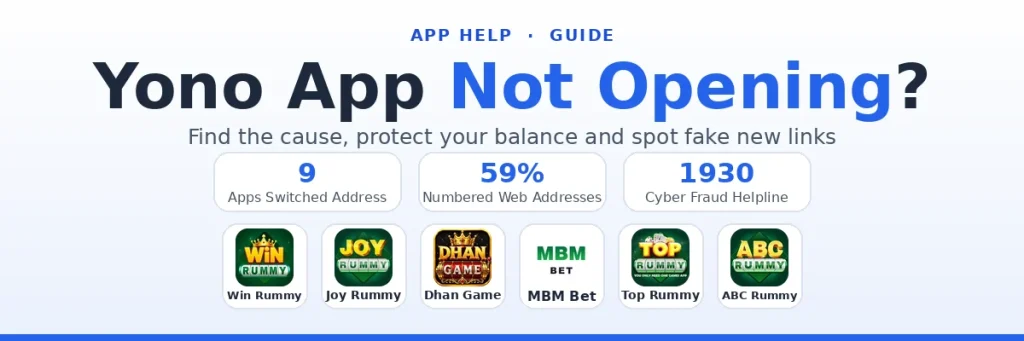
A Yono app that will not open usually means one of two very different things. Most of the time it is a temporary fault: a busy server, an old version or a web address that has changed. Sometimes, though, the app has gone for good, and then the money in your wallet is at real risk.
This guide helps you tell the two apart within a few minutes, fix the common faults, avoid the scams that appear whenever an app goes quiet, and decide what to do about your balance if the worst has happened.
First, Work Out What Kind of Problem It Is
| What you see | Most likely cause | What to do |
|---|---|---|
| Logo spins forever on the loading screen | Busy server, maintenance or a weak connection | Wait 30 to 60 minutes and switch between Wi-Fi and mobile data |
| "Please update" message or the app closes after opening | You are on an old version | Install the latest APK over the current one |
| App opens but your account is locked or frozen | A review on your account | Ask support for the reason in writing |
| The download website says "This site can't be reached" | That address may have been retired; these apps run several | Get a current address through official channels only |
| App works but deposits or withdrawals keep failing | Your bank or UPI app is blocking the payment | Stop retrying and check each payment's status |
| App, website and official channels all silent for days | The app may have shut down | Save your records and read the sections below |
Only the last row is a true emergency. For the others, the fixes below or our login problems guide will normally get you back in.
Quick Fixes When the App Will Not Load
Work down this list, testing the app after each step:
- Close the app fully from the recent apps screen, then reopen it.
- Restart your phone to clear stuck processes and network glitches.
- Switch networks. Some connections fail on one network and work on another.
- Set the date and time to automatic. A wrong clock can break the secure connection to the server.
- Free up storage. When the phone is almost full, apps can crash as soon as they open.
- Clear the app's cache (not its data) under Settings, then Apps.
- Install the newest APK over the old one, as our APK guide describes.
Reinstalling does not wipe your money. Your balance is stored on the app's server and tied to your mobile number, so logging in again brings it back, provided the app itself is still running.
Why Yono Apps Use So Many Web Addresses
A download link that stops loading is not proof that the app has closed. Apps in this family run on several web addresses at the same time. During October 2026 we switched the links of nine apps on our list to newer addresses (Win Rummy, Joy Rummy, Dhan Game and MBM Bet among them), and when we checked the older addresses later in the month, every one of them still opened the same official page.
The addresses themselves show the habit. Of the 83 web addresses behind the apps on our list, 49 carry a number in the name, such as "rummy9" or "slots27". When one address is retired or stops loading for you, another is usually already live. Whenever an app on our list switches to a newer address, we check that the new page is genuine before we update its link here.
The danger is in how people hear about a new address. A forwarded message saying "old app closed, install the new one from this link" is exactly what a fake app looks like. Before you trust a new address:
- Get it from a channel you already know is official, such as an announcement inside the app or the linked from the app's own page.
- Check that the page shows the same app name and logo you know.
- Never enter an OTP or UPI PIN on a page you reached from a forwarded link.
- Be suspicious of any "new version" that asks you to deposit again to move your old balance across.
Signs an App Has Really Shut Down
One quiet evening proves nothing. Several of these together, over several days, do:
- The app will not load on any network, and the website is gone too.
- The official or WhatsApp channel has been deleted or has stopped posting.
- Support has stopped answering, or replies only with copied messages.
- Players in the official channels report withdrawals stuck for everyone, not just for themselves.
- A brand new app appears claiming to be the "replacement" and asks for fresh deposits.
What Happens to the Money in Your Wallet
Your balance is a number in the operator's database, not money held for you in a bank. If the operator stops running the app, that number can disappear with it, and there is little you can do to make the operator pay it out.
There is also no one to escalate to. Offering online money games is an offence in India under the Promotion and Regulation of Online Gaming Act, 2025, so these apps have no Indian licence, no regulator watching them and no compensation scheme behind them. Our guide to the 2025 Act explains the background, including why banks block payments to these apps.
What You Can Still Do
- Save your records now. Take screenshots of your balance, wallet history, order IDs and the UTR numbers of any payments, while the app still shows them.
- Contact support once through every official channel, with your user ID, the amounts and the order IDs. Keep copies of what you sent.
- Raise a payment complaint where it fits. If money left your bank but never reached the wallet, open that transaction in your UPI app or bank app and raise a complaint about it.
- Report fraud, not just bad luck. If you paid an "agent", a fake support number or a lookalike app, call 1930 or report it on cybercrime.gov.in quickly. Fake helplines are covered in depth in our customer care guide.
- Pay nobody to recover your balance. "Recovery services" and "transfer fees" to move money to a new app are scams aimed at people who have already lost money.
How to Keep Less Money at Risk
None of this can protect a balance after an app has gone, so the useful habits come before:
- Withdraw winnings as you go instead of leaving them in the wallet.
- Keep the balance small. Treat anything inside an app as money you could lose overnight.
- Cash out ₹100 early in any new app, so you know payouts work before your balance grows. The withdrawal guide decodes each payout status.
- Keep your own record of what you deposit and withdraw, outside the app.
- Prefer apps with working official channels. The details table in each app guide on our site has a Support row showing the channels its official page links to.
Yono App Not Opening FAQs
Why is my Yono app not opening today?
The usual causes are server maintenance, a weak connection or an old app version. Restart the phone, switch networks and install the latest APK over the old one. If nothing works for several days, check the app's official channels.
Will I lose my balance if I uninstall a Yono app?
No. The balance is kept on the app's server and linked to your mobile number, so it returns when you log in again, as long as the app is still running.
The website of my Yono app is not opening. Has it closed?
Not necessarily. Many Yono apps run on several web addresses and switch between them, and we update the links on our app pages when they change. Only trust a new address that comes from the app's official channels.
Can I get my money back if a Yono app shuts down?
There is no guarantee. These apps have no licence or regulator in India, so keep screenshots of your balance and payments, contact support through official channels, and report it on 1930 if you were cheated.
Someone sent me a new link for my Yono app. Is it safe?
Treat it as unsafe until you confirm it through the app's own announcement or official channel. Never enter an OTP or UPI PIN on a page opened from a forwarded link.